Free Chrome extension
Check your fit before you apply.
Techtribe Co-pilot checks your fit, writes cover letters, autofills supported application forms and tracks every job. Free and private, with no account needed.
Listed on the Chrome Web Store as “TECH TRIBE – Job Application Co-pilot (Free)”. Requires Chrome 116 or later.
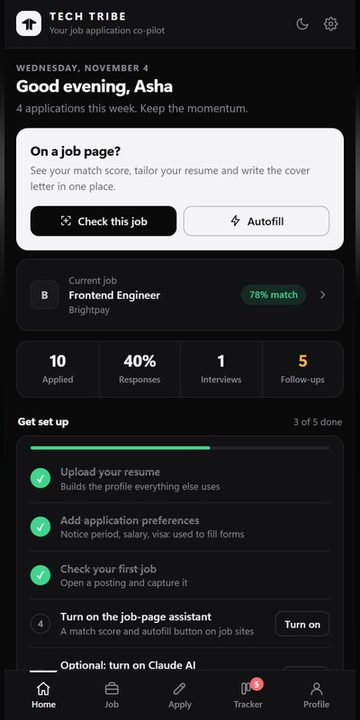
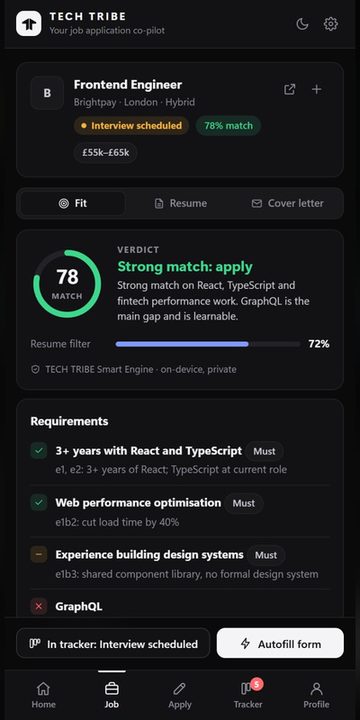
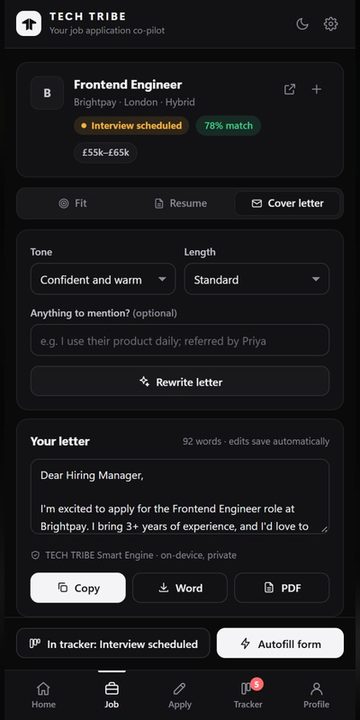
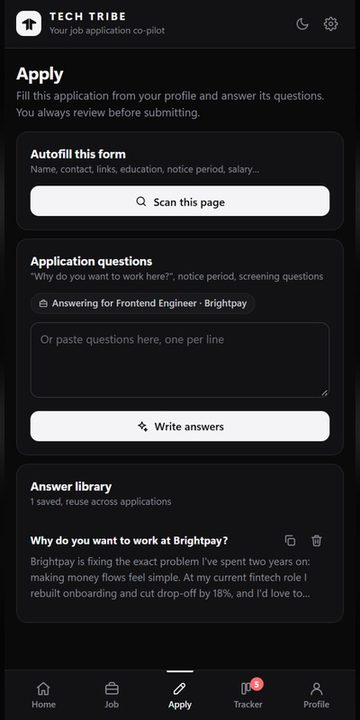
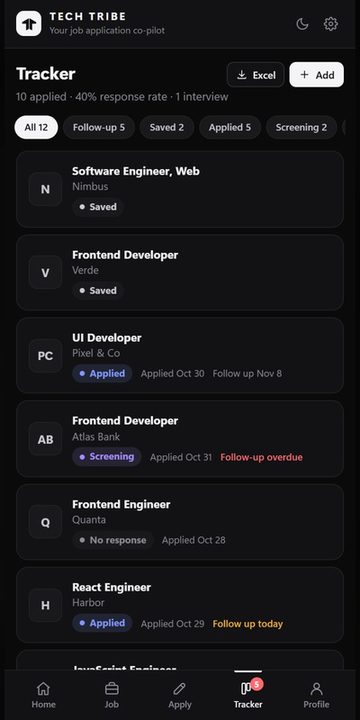
Real screens from the extension. Sample profile data.
What it does
Four tools, one side panel.
Job match
- A match score against your resume
- Must-have requirements checked one by one
- Evidence from your resume for each match
- A clear verdict, such as “Strong match: apply”
Cover letters
- Drafted for the role you’re viewing
- Choose the tone and length
- Add anything you want mentioned
- Copy, or export to Word or PDF
Autofill
- Fills supported forms from your profile
- Name, contact, links, education, notice period and salary
- Drafts answers to application questions
- You always review before submitting
Tracker
- Saved, applied, screening and interview
- Follow-up reminders, including overdue ones
- Your response rate at a glance
- Export to Excel
How it works
Set up in a few minutes.
- 1. Add to ChromeInstall it free from the Chrome Web Store.
- 2. Open the side panelClick the Techtribe icon, or press Alt+J.
- 3. Upload your resumeIt builds the profile everything else uses.
- 4. Open a jobCheck your fit, write the letter, autofill and track.
Privacy
Free, private, no account.
The built-in Smart Engine runs on your device and your data is stored in your browser. AI features using your own Claude API key are optional and off unless you turn them on.
Read the Co-pilot privacy policyIs it really free?
Yes. The Co-pilot is free to install and use, and you don’t need an account.
Where is my data kept?
In your own browser. The built-in Smart Engine runs on your device. Read the Co-pilot privacy policy for the full details, including what happens if you choose to turn on optional AI features.
Which browsers does it work on?
Google Chrome, version 116 or later.
Does it apply to jobs for me?
No. It fills supported forms from your profile, and you always review before submitting.
Try it on your next application.
Want a team to do the job search with you? See our career support.